


Quick Start:
You can download a calendar for a given month and then just use it.
Personalize your calendar:
Change the image:
- Click on the image in the calendar
- Right-click on the image and select Change Picture.
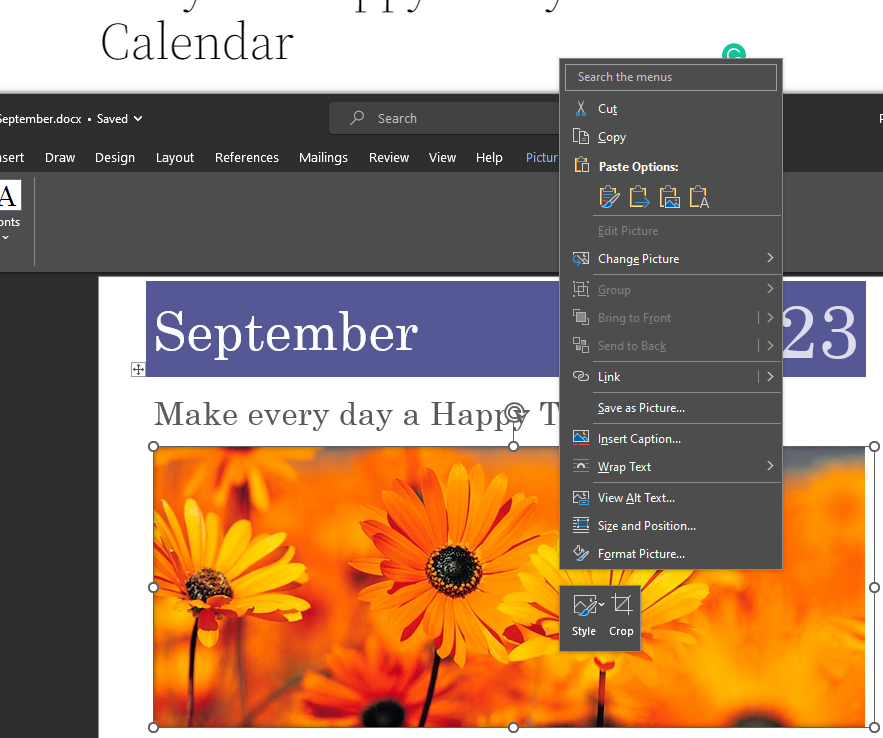
- Select the image you want
- and then save the document
How to run it
- Open your “Happy Today 2026” document.
- Press Alt+F11 → Insert > Module → paste the code.
- Close the editor.
- Alt+F8 → run GenerateHappyCalendarsFromTemplate.
- Enter the target year. The macro will keep your exact tables and styling, updating month names, the year, and the date layout for each month.